
GHL WhatsApp
GoHighLevel WhatsApp Integration and Automation That Actually Sends
WhatsApp is often the first place a lead will answer you. In GoHighLevel, that only works when the connection, the templates and the timing are set correctly. An unapproved template, a follow-up sent after the customer-service window has closed, or a number still waiting on Meta review will fail silently, and the contact never hears from you.
GHL Scales sets up official GoHighLevel WhatsApp integration on Meta’s WhatsApp Business Platform (Cloud API). The connection is made through LeadConnector, which is HighLevel’s official Business Solution Provider. We write templates that Meta can approve, and we build two-way GHL WhatsApp automation for follow-up, reminders and AI replies, all inside your CRM. Every build is quoted at a fixed price after a free consultation, for businesses and agencies worldwide.
Top Rated on Upwork · 100% Job Success · 4.9 stars from 14 reviews · 30 jobs · 1.1K hours · 3+ years inside GoHighLevel
The basics
How GoHighLevel WhatsApp Integration Works
The official way to add WhatsApp to GoHighLevel is Meta’s Cloud API, with LeadConnector acting as HighLevel’s approved Business Solution Provider. Once connected, chats show in the same Conversations inbox as SMS, email and social messages, and workflows can send and receive WhatsApp. We only use this official path. We do not use unofficial connectors that keep a phone session alive by scanning a QR code, because those can put the number at risk of being blocked.
Three Meta rules decide what you can send, and when.
The 24-hour customer service window
A 24-hour customer service window starts when the contact writes to you, and it starts again with each new message from them. Inside that window you can send ordinary, free-form replies. Outside it, you need a Meta-approved template. In GoHighLevel, a Customer Service Window Check action can test whether the window is still open before the workflow chooses a free-form message or a template.
Approved templates
To open a chat, or to write again after the window has closed, you must use a template Meta has already approved. Templates use numbered variables such as {{1}} and {{2}}, not field names like first name, and a template body cannot begin or end with a variable. We map GoHighLevel contact fields into those numbered placeholders.
Click-to-WhatsApp ads and Facebook Page buttons
If someone messages you from one of those entry points on Android or iOS, and you reply within 24 hours, a Free Entry Point window opens. That window lasts 72 hours from your first delivered reply. Meta does not charge for messages during those 72 hours, but you can still send free-form (non-template) messages only while the usual 24-hour customer service window is open. After that, only templates, which stay free until the 72 hours end.
WhatsApp follow-up has to be planned around these rules, template categories and the number’s quality rating. A sequence lifted straight from SMS or email will often be rejected or restricted.
Common problems
Where GHL WhatsApp Automation Breaks
Most failed WhatsApp setups fail quietly. These are the problems we see most often.
“More than 24 hours have passed” errors
The workflow sends a free-form message to a new lead or a cold contact. WhatsApp rejects it because no customer service window is open, and the lead hears nothing.
Templates rejected or never submitted
A template in the wrong category, or with wording Meta will not approve, is declined, so the first-touch message never goes out.
Replies that go nowhere
The first template sends, but the Customer Replied trigger is not filtered to WhatsApp, or the phone number is missing, so the reply never reaches the next step or the AI.
Setup stuck at Meta verification
The business portfolio is not verified, the display name is still under review, or the number is still tied to another app or provider, so WhatsApp will not connect.
Replies stuck on a team member’s handset
The business number is open on someone’s phone. Those replies never reach GoHighLevel, so the rest of the team cannot see the thread, and no workflow can continue it.
If this sounds familiar, we’ll trace the break and quote a fixed price to repair it.
What we build
GoHighLevel WhatsApp Automation Services
These are the GoHighLevel WhatsApp services we deliver most.
GoHighLevel WhatsApp Setup
We connect WhatsApp to your sub-account on the official Cloud API: Meta business portfolio, phone number verification, display-name approval and business profile. Meta reviews the display name on its own, which can take minutes or a couple of days, and sending may be limited until it is approved. We also move numbers from another WhatsApp provider when that is the right path.
Template Writing and Approval
We write your first-touch, reminder and re-engagement templates in the right Meta category, with numbered variables such as {{1}}, and submit them for approval.
Lead Follow-Up on WhatsApp
New leads from forms or Facebook ads get an approved template within minutes. When they reply, the window opens and follow-up continues in ordinary chat. First-touch marketing templates go only to people who have opted in, and we set up that capture.
Booking Confirmations and Reminders
Confirmations and reminders sent on WhatsApp, with SMS as a backup if a message is not delivered.
Interactive Buttons and WhatsApp Flows
Quick-reply buttons and list messages that let contacts confirm, reschedule or pick a service with one tap, each tap sending them down the right workflow branch.
GoHighLevel WhatsApp AI and Chatbot
Conversation AI or your own AI agent replies on WhatsApp, answers questions, qualifies and books, then hands off to your team when needed.
Opt-In, Opt-Out and Quality Protection
We capture consent before business-initiated marketing templates go out. A STOP reply switches on WhatsApp DND automatically, and messages are paced to protect your number’s quality rating.
Tell us how you use WhatsApp today and we’ll map a fixed-price plan.
How we connect
Three Ways to Connect WhatsApp to GoHighLevel
We pick the right path on the free consultation, based on the number you use today.
| Option | Best for | Keep in mind |
|---|---|---|
| GHL WhatsApp coexistence | Keeping your WhatsApp Business app on the same number | One number only; templates must be sent from the CRM, not the app; not available for Nigeria or South Africa numbers; after connection, group chats, broadcast lists and voice or video calls are not supported; contacts and up to six months of chat history can be imported, but that sync must be finished within 24 hours or the connection has to be redone |
| New WhatsApp business number | A clean start for the CRM | The number must receive a code by SMS or call; a number used only on the Cloud API generally cannot later be used in the WhatsApp app |
| Move from another provider | Numbers already on another WhatsApp API partner such as 360dialog, Twilio or Wati | The number, display name, quality rating, messaging limits, Official Business Account status and approved templates move; chat history and media do not; two-step verification must be turned off before the move |
Coexistence also imports contacts and up to six months of chat history, so your team does not lose recent conversations, provided the 24-hour sync window is completed.
In action
GHL WhatsApp Automation in Action
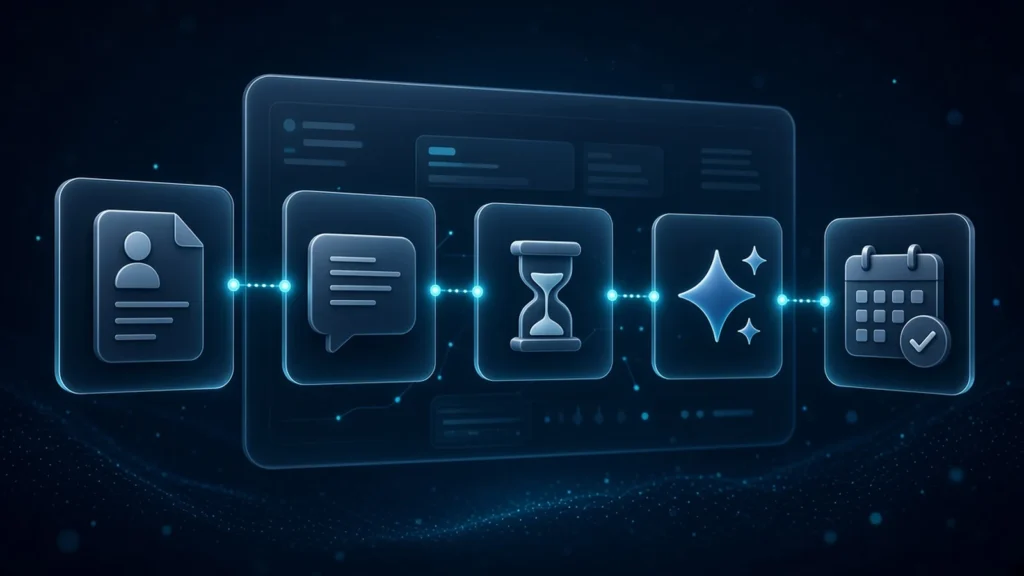
Example: Facebook Lead to Booked Appointment on WhatsApp
Real Build: Fixing a WhatsApp AI Setup That Stopped After One Message
A window tinting business sent its first WhatsApp template to Facebook leads, but the conversation died there. Two problems were to blame: follow-ups were sent as ordinary messages outside the 24-hour window, and the reply webhook did not pass the phone number, so the AI could not match the chat. We moved first contact to an approved template, split the flow into an outreach workflow and a reply workflow, and fixed the payload. Replies now reach the AI, which qualifies the lead and books the appointment.
Real Build: Roofing and Solar, $90K in Month One
WhatsApp was one channel in a multi-channel follow-up system (SMS, email, WhatsApp and AI voice) that reached 28% lead-to-booking conversion and $90K in revenue in the first month.
What you get
What You Get With Every WhatsApp Build
Every GoHighLevel WhatsApp build starts with a free consultation and a written plan you approve.
Included in every build
Not included
Every build is quoted at a fixed price, in writing, after the free consultation. No hourly billing.
Ready to have this built in your own account?
Our process
How Our GoHighLevel WhatsApp Setup Works
- 01
Free consultation
We check your number, your Meta business portfolio and how you use WhatsApp today, then recommend coexistence, a new number or a move from another provider, with a fixed quote before we build.
- 02
Access and verification
We connect WhatsApp and guide you through any Meta verification and display-name approval steps.
- 03
Template plan
We write and submit the templates your workflows need before building on them.
- 04
Build
Workflows, reply handling, AI handoff and fallbacks, built in your account.
- 05
Pilot
We test on real phones and watch the first live conversations, including the number’s quality rating, before a wider rollout. We do not invent a fixed number of days for this watch.
- 06
Hand over
Loom walkthrough, written notes, and we stay available to fix anything real contacts uncover.
Who it’s for
Who GoHighLevel WhatsApp Automation Is For
We build GoHighLevel WhatsApp integration and automation for businesses and agencies worldwide, especially where WhatsApp is the channel customers already use.
This is not a fit if you want to message a purchased or scraped list that has not given WhatsApp consent.
White Label WhatsApp Setup for Agencies
We have worked with 15+ white-label SaaS agencies. We connect WhatsApp and build templates and workflows in your clients’ sub-accounts under your brand, and never contact your clients. Templates do not carry over in snapshots, so we resubmit them for each new client.
Related services
More Ways We Help With GoHighLevel
Hire a GHL Expert
Need a GoHighLevel specialist for the whole account, or custom work around this WhatsApp build? Our team works only in GoHighLevel.
GoHighLevel Funnels and Websites
Landing pages, funnels and websites that send leads, orders and form data into your CRM.
GoHighLevel AI Agents
Voice and chat AI that answers, qualifies and books, then writes results back to GHL.
GoHighLevel Integrations and API
Native connectors, Zapier, Make, n8n, webhooks and custom API work that keep your other tools in sync with GHL.
Client Reviews
What Clients Say About Working With GHL Scales
Honestly one of the best experiences I’ve had working with [GHL Scales] and [GHL Scales’] team. They truly understand GoHighLevel, funnels, and automation at a deep level. The entire setup felt professionally built from start to finish, and everything worked exactly as expected. I’ll definitely be working with them again!!!
[GHL Scales] has been exceptional from November through February. [GHL Scales is] professional, responsive, highly skilled in GoHighLevel, and consistently delivers clean, thoughtful work…
I had a more complicated funnel in mind, but [GHL Scales] simplified it and built something that fits our business perfectly! Love it. The GHL opt-in and thank you pages are exactly what we needed, and the copy is fantastic. Really happy with the result. Highly recommended!
[GHL Scales] was professional, patient, and supportive throughout the project. [GHL Scales] handled evolving requirements well and contributed solid foundational work to our system…
Great experience again!! The funnel looks professional and the automation [GHL Scales] built earlier is still working perfectly. Highly recommend [GHL Scales] and [GHL Scales’] Team.
[GHL Scales] and [GHL Scales’] team did an excellent job auditing and cleaning up our GoHighLevel automations. The documentation and Loom walkthroughs were super clear, and [GHL Scales] caught issues we didn’t even notice.
Honestly, one of the smoothest projects I’ve had with [GHL Scales] and team What I liked most was how organized everything was. The structure made sense, the flow felt natural, and the setup was done properly, not rushed or sloppy. You can tell this is someone who actually understands funnel systems and automation, not just design. Definitely someone I’ll work with again and confidently recommend to others
It was a pleasure working with [GHL Scales]! [GHL Scales] was professional, friendly, and very responsive throughout the project. [GHL Scales] understood the assignment, worked quickly, and communicated clearly along the way. I especially appreciated how easy [GHL Scales] was to work with and [GHL Scales’] willingness to answer questions. Overall, a very positive experience, and I would definitely recommend [GHL Scales]!
Very responsive and understood what we needed. The lead follow up system in our GHL is already live and catching leads way faster than I ever could manually.
[GHL Scales] is a fabulous GHL support. REALLY strong. I can highly recommend [GHL Scales]. Really great from start to finish.
Great communication and fast delivery. The texts actually sound like us instead of a robot, and our no-show rate is already dropping. Highly Recommended!
Love it! Super professional, knowledgeable, and really took the time to make sure everything was done right. Walked me through each step and even went above and beyond to help with a few extras I was stuck on. Definitely recommend and would hire again without hesitation
FAQ